


For almost two decades, we’ve been helping Aussies stay connected wherever they call home. From the city to the bush, we deliver internet that goes beyond.
Join today risk-free with our 30-day satisfaction guarantee.
See what’s available at your place

Multi-award-winning plans
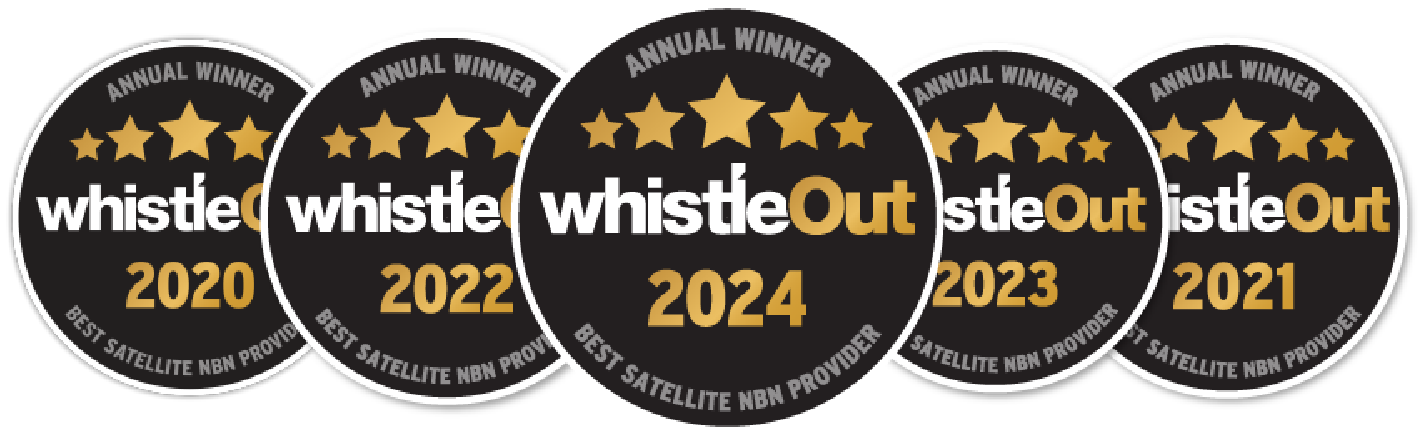
Winning 5 Whistleout awards is testament to our unwavering commitment to delivering reliable internet services to regional and rural Australia.
45,000+ happy regional homes
We’ve helped connect thousands of remote and regional Australian families to better internet services and they couldn’t be happier.
See what’s available at your property
3 Common Misconceptions People Have About Their WiFi Modem
Why does the WiFi modem often get the blame when the internet drops out? Whether the video keeps buffering or the signal vanishes in the next room, it’s easy to point fingers at the nearest device with flashing lights. But most of the time, the problem isn’t what people think.
Let’s clear up three common misconceptions about your WiFi modem so you can get the most from your home WiFi and finally enjoy a smoother connection.
As one of the leading nbn® regional WiFi providers, Skymesh offers plug-n-play devices that match your connection type and setup needs, especially in regional areas where the right equipment can improve stability and performance.
#1: People often think modems and routers refer to the same thing
Modems connect your home to the internet.
It’s easy to mix up modems and routers, but they have different jobs. A WiFi modem is the device that links your home to the internet through a provider like Skymesh. It acts as your home’s gateway to the internet, allowing you to get online. Some households use a home WiFi device, while others may have a 4G WiFi modem if nbn® isn’t available.
On its own, a modem usually connects to just one computer. It doesn’t broadcast your home WiFi or support multiple devices by itself. That’s the job of a home internet router.
Routers share that connection with your devices.
A router’s role is to take the single internet connection from the modem and share it with all your devices. It creates a network in your home (often through WiFi) so that your phones, laptops and smart TVs can all be online at once. Most homes rely on a WiFi router with strong coverage or a combined modem and wireless router Australia-wide to keep things simple.
Without an nbn-compatible router, you’d be limited to one device at a time on the internet. Today, many homes use a single high-speed internet box that combines both functions into one reliable home WiFi setup.
#2: Users think a WiFi modem or router setup is complicated.
Setup is straightforward using our plug-n-play solution.
In some cases, setting up a WiFi connection requires separate modems and routers.
At Skymesh, we make setup simple by offering a pre-configured, plug-n-play modem and router that works across all nbn® service types. Our smart WiFi hub is compatible with Fixed Wireless, Fixed Line and Sky Muster® Plus internet plans.
The unit is designed for households with multiple users and devices. It supports dual-band WiFi, strong signal coverage and standard Ethernet router connections. It connects to the nbn® connection box installed at your premises and manages both the internet access and internal WiFi distribution.
This makes it a practical match for homes with WiFi internet plans, especially for those needing a reliable high-speed WiFi modem for streaming or everyday browsing.
#3: Many expect modems alone to fix coverage or speed.
An upgraded WiFi modem helps, but it’s still limited by your internet plan and connection type.
A high-quality WiFi modem improves signal strength inside the home, but it cannot change the network type or its limitations. If your connection is Fixed Wireless or satellite, your speed may still vary depending on weather conditions, network congestion or distance from the tower.
What happens outside your home, like the cables, towers or satellites, affects your baseline speed. The WiFi modem you use helps distribute that signal within your home, but it won’t override the technical constraints of your nbn® connection type. This is especially important to understand when comparing affordable WiFi plans since real-world speeds also depend on the setup at your premises.
Your internet type depends on where you live.
Your property’s connection type isn’t something you can pick. It’s determined by nbn®, based on factors like available infrastructure, distance from towers or fibre nodes and whether your property has a clear line of sight.
For nbn®, there are three main ways to connect: Sky Muster® satellite, Fixed Wireless or Fixed Line. In each case, you still use a WiFi modem at home, but the signal reaches it in different ways.
Some locations are covered by the Sky Muster® satellite. A Sky Muster® satellite connection uses a dish on your roof to link to a satellite in space.
Others may have Fixed Wireless or Fixed Line connections, which can be accessed through wireless WiFi plans. Fixed Wireless uses an antenna to communicate with a nearby tower. Fixed Line uses physical cables (often fibre optic, but sometimes a copper line is used for the last part of the connection, which can affect speeds).
Each connection type comes with different speed capabilities and technical limitations.
Get started with Skymesh’s internet plans and plug-n-play router
Use our address checker to identify what’s available at your home.
To get started, check your address on the Skymesh website to see which nbn® technology is available for you. If your address is not found, we can check your address manually and, where required, raise the address with nbn® so it is added to their service footprint.
Once you’ve successfully checked your address, you can select from the low-cost WiFi plans we offer. Customers can enjoy a free standard installation, excluding any new development or subsequent installation charges that may apply in some instances. You can also purchase our plug-n-play modem/router alongside your internet plan.
Frequently Asked Questions (FAQ)
Do people still use modems today?
Modems are still used today to enable internet access by converting digital signals for transmission over cable, DSL or fibre-optic networks. While dial-up modems are obsolete, modern modems are often integrated with routers, making them essential but less visible in home and business internet setups.
Can I opt for a modem only if I have wireless internet?
A WiFi plan requires both a modem and a router. A modem connects to the internet service provider, while a router creates the WiFi signal. Using only a modem will not provide wireless access. Most wireless setups use a separate router or a combined modem-router device to enable full connectivity.
Are Australian broadband modems locked?
Most Australian broadband modems are not locked and work with various internet providers. Providers may offer pre-configured modems tailored to their network, but these devices are usually not restricted. Compatibility depends on the network type and modem settings, not on provider-imposed locks.
Skymesh: Bringing high-speed internet plans to your doorstep
At Skymesh, we connect Australians to fast, reliable internet plans. With years of experience helping households and businesses stay online, we offer plans designed to keep you streaming, working, gaming and more without hassle.
Thousands of homes and businesses already trust Skymesh to keep them connected, and we’re ready to do the same for you.
Want to see what’s available at your location? Check your address now to get started.
Satisfaction Guarantee
Join today risk-free with our 30-day satisfaction guarantee. Talk to our team today to learn more and get connected.

600+ 5 Star reviews
What a few of our happy customers think

Exceptional service for 17 years
Skymesh has always given exceptional service, always happy to fix any problems.
Reviewed July, 2025
Prompt, Efficient and Friendly
I changed from Starlink to Skymesh, and I haven’t stopped smiling. I can speak to a friendly, helpful human when I have a query.
Reviewed July, 2025
Highly recommend making the switch
The entire process from sign-up to installation was smooth and hassle-free. Loving the speeds that we are getting
Reviewed Mar, 2025
Excellent service
I’ve used Sky Muster for years, no fuss, no bother, It just works as it should.
Reviewed Apr, 2025
Excellent assistance
I was pleasently surprised by the helpful and cheery assistance I received yesterday.
Reviewed Jan, 2025
Amazing tech assistance
This guy was so patient with me and explained everything so well. Thanks so much.
Reviewed Dec, 2024
Let’s chat
Our friendly team is ready to help out with all new connection enquiries. Give us a shout, we’re here to help.