


Looking For A WiFi Provider? Check Skymesh Plans
Compare WiFi plans and check what’s available at your address to find the right internet plan for your home.
Join Skymesh today confidently with our 30-day satisfaction guarantee. Terms Apply.
See which nbn® service is available at your place.


Multi-award-winning plans
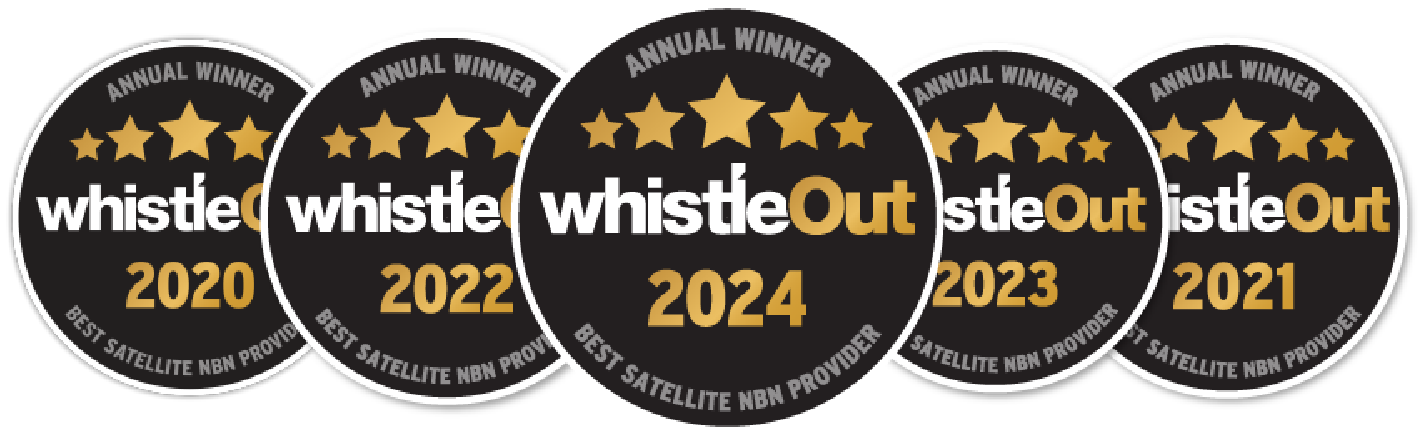
Winning 5 Whistleout awards is testament to our unwavering commitment to delivering reliable internet services to regional and rural Australia.
45,000+ happy regional homes
We’ve helped connect thousands of remote and regional Australian families to better internet services and they couldn’t be happier.
See what’s available at your property
How To Avoid Simple Mistakes With WiFi Providers
WiFi providers are often the first thing people search for when the connection at home or work keeps cutting out. The right provider should know how to deliver dependable connectivity in regional settings, not just sell you a WiFi plan that sounds good on paper.
Skymesh is a leading specialised regional nbn® provider that offers award-winning plans through technologies like Fixed Line, Fixed Wireless and Sky Muster® technologies as part of our commitment to bridging the digital divide.
We understand that choosing from WiFi providers isn’t always straightforward, so here are simple steps to avoid common mistakes.
Step #1: Check your address to confirm service availability
Type in your home or business address on the address checker on our site, and in just a few seconds, you’ll see which nbn® technology types are available to you. It’s that easy, so you’ll know exactly what kind of WiFi connection you can use at your property.
If your address doesn’t appear, you can reach out to our friendly team for further assistance.
Step #2: Match your internet plan to your household’s data and speed needs
Once you know what nbn® technology is available at your address, your options fall into one of three types, with each offering different speeds and plan structures:
- Fixed Line, which uses high-speed fibre optic cables to deliver fast broadband to your premises. nbn® uses a mix of different technologies across Australia, including Fibre to the Premises (FTTP), Fibre to the Building (FTTB), Fibre to the Node (FTTN), Fibre to the Curb (FTTC) and Hybrid Fibre Coaxial (HFC).
- Fixed Wireless, which uses radio signals and outdoor antennas to connect your premises to an nbn® network wirelessly.
- Sky Muster® Plus, which supports WiFi internet plans by using two cutting-edge satellites in space and a satellite dish installed on your roof to give you connectivity.
Skymesh offers unlimited data plans.
For homes that stream, upload files or run video calls throughout the day, unlimited data is a must. Skymesh offers this on all types of connections, helping you avoid slow service or bill shock when usage spikes, so there’s no need to waste your time looking for WiFi providers elsewhere.
With Fixed Line, there are various speed tiers on offer: nbn 25, nbn 50, nbn 100, nbn 250 and nbn 1000. Each tier suits a different lifestyle. If you’re mainly checking emails and doing basic tasks, nbn 25 can give you an entry-level home internet network for daily use. Plans like nbn 50 or nbn 100 might be more suitable for bigger households that handle frequent uploads and live chat.
Meanwhile, Skymesh offers three Fixed Wireless service plans:
- Wireless Plus delivers Maximum Theoretical Attainable Speeds of 25-100 Mbps for downloads and 5-20 Mbps for uploads. Solid for everyday home WiFi use.
- Wireless Fast produces Maximum Theoretical Attainable Speeds of 200-250 Mbps for downloads and 8-20 Mbps for uploads.
- Wireless Superfast boasts Maximum Theoretical Attainable Speeds of up to 400 Mbps for downloads and 10-40 Mbps for uploads.
If satellite’s your only option, Sky Muster® Plus is a great choice.
Skymesh offers Sky Muster® Plus Premium plans that come with unlimited data, making day-to-day internet far more manageable. These fast WiFi network plans are designed for regional users who like to browse, stream and use social media.
You currently have three speed options to choose from: Ultra25, which offers download speeds of up to 25 Mbps, Ultra50, which delivers download speeds of up to 50 Mbps, and Ultra100, which provides download speeds of up to 100 Mbps.
Step #3: Prepare for installation
After you order a service through Skymesh, we’ll arrange an installation time for nbn® to install the necessary equipment so you can enjoy your internet as soon as possible.
It’s important to note that the hands-on work and equipment like cabling and dishes are all handled by nbn®-accredited installers, not Skymesh. These installers are trained to follow nbn® standards down to the last detail. That includes proper setup, safety checks and testing before they leave your site so your WiFi plans start on the right foot.
Customers can enjoy a free standard installation, excluding any new development or subsequent installation charges that may apply where applicable.
What you must do
First, pick a time when you can be at home. If you can’t be there, pick someone over 18 years old who can stand in for you and be able to make decisions on your behalf.
You also need to flag anything the installer should know.
Make them aware ahead of time if your site has asbestos, pest treatments or heritage considerations. These things affect how and where they can work. Giving them a heads-up early keeps the installation moving and avoids unnecessary delays.
What to keep in mind
The installer might need to cut the power briefly. If that’s required, they’ll run it past you first. They’ll make sure you’re not running critical devices that can’t be interrupted, like medical alarms.
If your property already has a fibre line running to an nbn® utility box, then a standard install usually takes around two hours. If it’s a first-time setup or a more involved property, it could stretch to four to eight hours.
As for Sky Muster™, standard installations, which involve setting up the nbn™ Sky Muster™ dish on your roof or wall and the nbn™ supplied modem inside your premises, take two to four hours. It may take longer if you would like your installation done in a particular way.
Meanwhile, standard installations of Fixed Wireless can take up to three hours, which can take longer and incur additional costs if you have a specific set-up request.
Frequently Asked Questions (FAQ)
What are the main challenges of WiFi?
After choosing from the available WiFi providers, the main challenges of wireless WiFi plans are physical interference and signal degradation over distance. Obstacles like thick walls, metal appliances and heavy furniture weaken the signal. Older routers and multiple connected devices can also reduce performance even in a reliable internet network.
How to choose a good WiFi provider?
Choose a good internet data supplier by confirming coverage at your address, then comparing speed, support and reliability.
Look for WiFi providers with regional expertise that offer a variety of plans using different technologies if you are based remotely.
Skymesh, for example, is an award-winning nbn® provider that has been connecting regional Australian homes to the internet for nearly two decades and offers support to ensure long-term satisfaction.
How do WiFi providers support users in regional areas?
Unlike other providers that only provide service in metropolitan areas, regional providers like SkyMesh provide connectivity through different nbn® technologies like Sky Muster® Plus, Fixed Wireless and Fixed Line. These use different equipment to deliver internet access to regional locations.
Fixed Line connections, for example, may use the existing copper network as the last part of an nbn® connection or use hybrid connections. This can affect the speed of the service, depending on the age and capabilities of the copper network going into the properties.
Reliable WiFi starts with better internet
As an internet WiFi provider, Skymesh helps regional Australians get the connection they need for their everyday needs.
Through an easy process that just involves checking your address and picking a plan based on the available technology in your area, you can get reliable internet access easily.
Check your address at Skymesh today to find the right WiFi service in Australia for your area.
*Free standard installations do not include imposed nbn® charges.
Satisfaction Guarantee
View Terms
Join today confidently with our 30-day satisfaction guarantee. Talk to our team today to learn more and get connected.

600+ 5 Star reviews
What a few of our happy customers think

Exceptional service for 17 years
Skymesh has always given exceptional service, always happy to fix any problems.
Reviewed July, 2025
Prompt, Efficient and Friendly
I changed from Starlink to Skymesh, and I haven’t stopped smiling. I can speak to a friendly, helpful human when I have a query.
Reviewed July, 2025
Highly recommend making the switch
The entire process from sign-up to installation was smooth and hassle-free. Loving the speeds that we are getting
Reviewed Mar, 2025
Excellent service
I’ve used Sky Muster for years, no fuss, no bother, It just works as it should.
Reviewed Apr, 2025
Excellent assistance
I was pleasently surprised by the helpful and cheery assistance I received yesterday.
Reviewed Jan, 2025
Amazing tech assistance
This guy was so patient with me and explained everything so well. Thanks so much.
Reviewed Dec, 2024
Let’s chat
Our friendly team is ready to help out with all new connection enquiries. Give us a shout, we’re here to help.