


Great Value Home Wifi Plans
Just like you, our internet never takes a day off.
Join today with our 30-day satisfaction guarantee. Terms Apply.
See what’s available at your place


Multi-award-winning plans
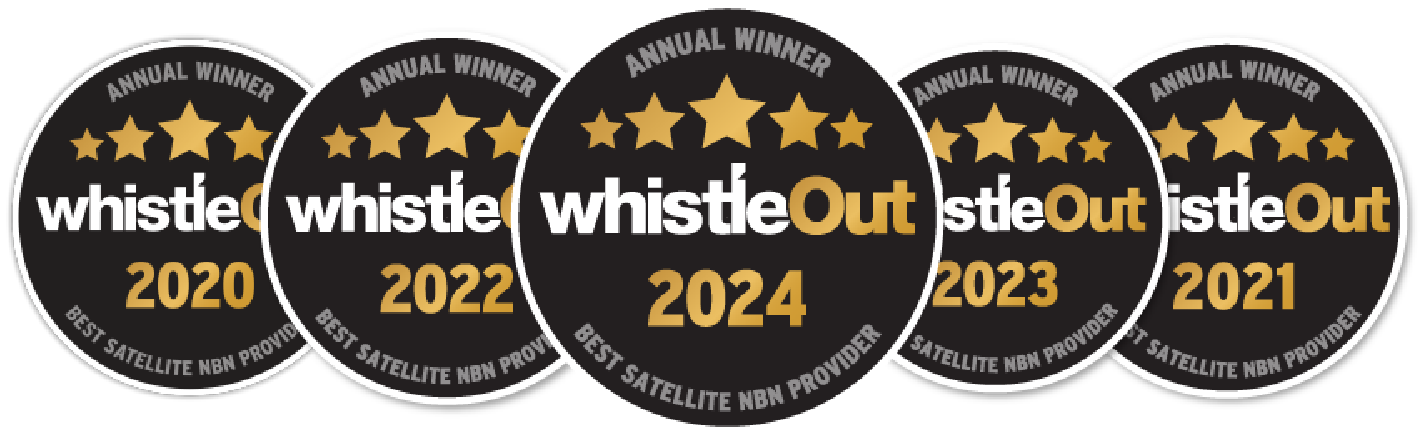
Winning 5 Whistleout awards is testament to our unwavering commitment to delivering reliable internet services to regional and rural Australia.
45,000+ happy regional homes
We’ve helped connect thousands of remote and regional Australian families to better internet services and they couldn’t be happier.
See what’s available at your property
4 Common Misconceptions You May Have Right Now About Home WiFi
Getting the most out of your home WiFi starts with understanding how it works, as well as dispelling some myths about why some wireless WiFi plans seem to lag.
At Skymesh, we speak to Australians every day who want to know how their internet connection works. By understanding what’s likely happening and what’s not, you can also be informed about how to make the most of your plan and enjoy a better internet experience as a result.
Here are some of the most common misconceptions about home WiFi.
Misconception #1: You can choose what nbn® technology to get for your home WiFi
Generally speaking, not all types of wireless WiFi internet plans and services are available across the board for all locations. The availability of nbn® technology depends on factors like geographic location, population and local infrastructure.
As such, while you can’t choose the nbn® technology type at your address, you can still select a plan that suits your needs from the family WiFi options available under that technology through Skymesh.
Skymesh delivers services through three nbn® technologies: Fibre, Fixed Wireless and Sky Muster® Plus satellite. To find out what service type is available at your home, you can check your address on our website.
Once you successfully determine what type of technology is available, you can choose from a range of affordable WiFi plans with different speed tiers. Unlimited data is available on our Fibre, Fixed Wireless and Sky Muster® Plus internet plans.
For more information on specific plans, you can visit our service pages and refer to the Critical Information Summary (CIS) and Key Facts Sheet (KFS) per plan.
Misconception #2: You can place your home WiFi router anywhere in your home.
Many people think they can place their router anywhere in their home, office or place of business, but location plays a big role in how well your indoor wireless internet works.
Dead zones are areas where the signal drops or weakens and often occur in larger homes, multi-storey houses or places with thick walls. To get the best coverage out of your home WiFi plan, consider your home’s layout and aim to position your router in a central spot.
Avoid putting the router in enclosed spaces like closets or behind furniture, and try to reduce the number of walls between it and your devices.
Misconception #3: Slow internet is always caused by your plan
Many people assume slow internet is because of their low-cost WiFi plans or basic home WiFi services, but the issue can just as easily be traced to how the connection is utilised within the home network.
Background activity like software updates, cloud backups or video syncing can quietly use up home WiFi bandwidth without you realising. These tasks run automatically and may slow down your indoor WiFi connection even when you’re not actively using the internet.
Another common cause is having too many devices simultaneously using your WiFi connection at home. To improve performance, check which devices are using your WiFi and disconnect any that aren’t essential.
Misconception #4: You can use any router to get home WiFi
Not all routers will be compatible with your current home WiFi. Using an incompatible setup, like older modems from a different internet WiFi provider, can lead to slower speeds, connection delays or unstable household internet access.
This is why it’s important to choose a router that works with your internet service and specific network setup. Skymesh’s plug-n-play routers are compatible with all nbn® technologies we support, making setup quick and hassle-free.
Since our routers are pre-configured, you can set up your home WiFi faster without dealing with complicated steps. With our plug-n-play router, you’ll also have access to our support team for extra help if needed.
Frequently Asked Questions (FAQ)
How do I choose the right home WiFi plan?
If your household is small and mainly uses WiFi for light tasks like browsing, checking emails or scrolling through social media, a lower-tier plan from WiFi providers may be enough. But if your household uses data heavily, such as by streaming or making video calls, you’ll likely need a high-speed WiFi setup to meet your needs.
That’s why Skymesh offers a range of speed tiers, so you can pick a plan that suits your household’s needs, depending on the technology available to you.
To see which connection type is available at your premises, simply check your address on our website. If your address is not found, we can check your address manually and, where required, raise the address with nbn® so it is added to their service footprint. Once you’ve confirmed our service coverage for your address, you can easily sign up for fast and stable WiFi for home internet with us.
What is the difference between a router and a modem?
A modem is the device that connects your home to the internet by linking to your internet service provider. On its own, a modem can only connect to one device at a time, usually through a cable.
If you want residential internet access for multiple devices, you’ll also need a router. A router takes the internet signal from the modem and broadcasts it using WiFi, providing fast indoor WiFi for multiple devices.
Some devices combine both modem and router functions into one unit. If you need an nbn®-compatible router, you can purchase Skymesh’s plug-n-play modem/router with your home WiFi plan.
What should I do if my WiFi connection drops out?
If your WiFi connection drops out, first restart your modem and router by unplugging them for two to five minutes, then plugging them back in. Give the devices a few minutes to reconnect and restore your home WiFi connection. If you’re still having trouble, check if there are any outages affecting your area.
You can also look into your home WiFi network setup to see if something else is causing the issue, like device interference, obstructions or outdated equipment. If these solutions don’t work, contact our team for general troubleshooting guidance or to request more intensive support.
Stay connected no matter where you are with Skymesh
Skymesh is a leading specialised regional nbn® provider with award-winning plans and a strong focus on helping rural Aussies stay connected, whether you live in a remote town or a regional hub.
Since stepping away from the metro rollout in 2018, our focus has been on bringing reliable internet closer to regional Australians with speeds that you can rely on, from reliable WiFi solutions for household use to business property WiFi access.
*Free standard installations do not include imposed nbn® charges.
Satisfaction Guarantee
View Terms
Join today confidently with our 30-day satisfaction guarantee. Talk to our team today to learn more and get connected.

600+ 5 Star reviews
What a few of our happy customers think

Exceptional service for 17 years
Skymesh has always given exceptional service, always happy to fix any problems.
Reviewed July, 2025
Prompt, Efficient and Friendly
I changed from Starlink to Skymesh, and I haven’t stopped smiling. I can speak to a friendly, helpful human when I have a query.
Reviewed July, 2025
Highly recommend making the switch
The entire process from sign-up to installation was smooth and hassle-free. Loving the speeds that we are getting
Reviewed Mar, 2025
Excellent service
I’ve used Sky Muster for years, no fuss, no bother, It just works as it should.
Reviewed Apr, 2025
Excellent assistance
I was pleasently surprised by the helpful and cheery assistance I received yesterday.
Reviewed Jan, 2025
Amazing tech assistance
This guy was so patient with me and explained everything so well. Thanks so much.
Reviewed Dec, 2024
Let’s chat
Our friendly team is ready to help out with all new connection enquiries. Give us a shout, we’re here to help.