


How to Upgrade to FTTP on nbn
What to expect when upgrading from FTTN or FTTC to full fibre
Key takeaways
- The upgrade process is straightforward. Your provider and nbn coordinate most of it.
- Eligibility is based on your address and the plan you select.
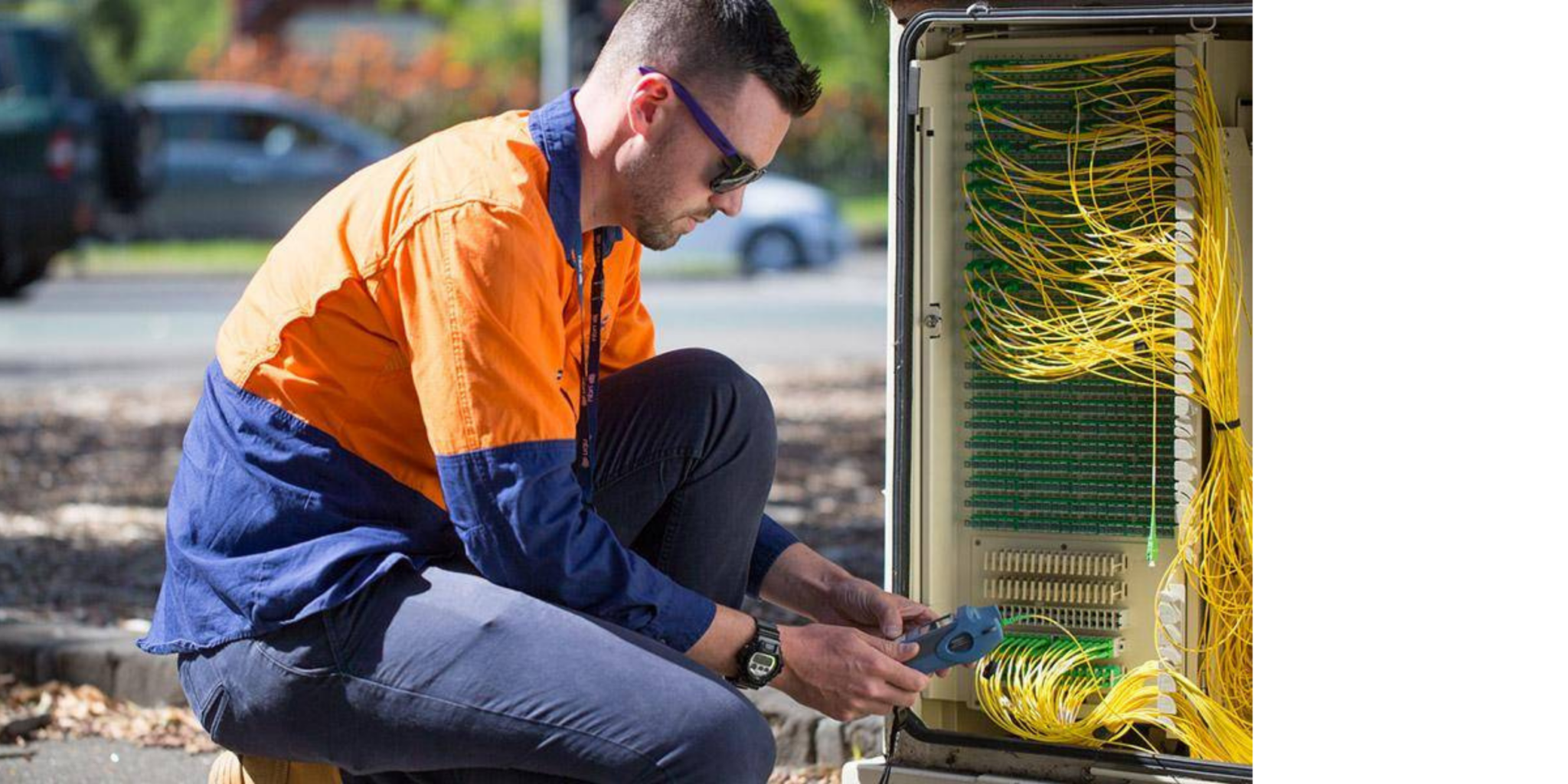
- An nbn technician handles the installation.
- Your existing connection stays active until the switch-over is complete.
Request a free nbn® Fibre upgrade eligibility check
What Is an FTTP Upgrade?
An FTTP (Fibre to the Premises) upgrade swaps out the copper portion of your nbn connection for fibre optic cabling that runs all the way to your home.
If you’re on FTTN (Fibre to the Node) or FTTC (Fibre to the Curb), part of your connection still relies on older copper infrastructure. FTTP removes that bottleneck so fibre runs directly into your premises, delivering faster speeds and more stable performance.
| Good news: You don’t need to manage the technical work yourself. Once confirmed as eligible, Skymesh and nbn coordinate everything from there. |
How the FTTP Upgrade Process Works
There are five steps to connect to nbn full fibre via nbn Fibre to the Premises (FTTP).
1. Check your eligibility
Everything starts with your address. Not all locations are eligible for an FTTP upgrade yet. It depends on where you live, your current connection type (FTTN or FTTC), and whether nbn has enabled upgrades in your area.
Use the Skymesh eligibility check form to see if your home qualifies. The form only takes about 10 seconds to fill out, and there’s no commitment involved.
2. Choose the right plan
To qualify for an FTTP upgrade, you’ll need to be on a plan that meets nbn’s requirements. That usually means selecting a higher speed tier.
Pay attention to this step. Picking a plan that doesn’t meet the threshold could mean your upgrade request won’t go through. The Skymesh team will walk you through which plans qualify and match one to your actual usage.
3. Book your installation
Once you’re eligible and on a qualifying plan, an installation appointment is arranged. An nbn technician will come to your property to complete the physical upgrade.
Scheduling depends on your location and availability, but Skymesh will coordinate a time that works for you.
4. Installation day
On the day, the nbn technician will:
- Attach a small utility box to the outside of your home
- Install an internal connection box (usually near your existing setup)
- Run fibre cabling from the street to your premises
There may be a brief interruption to your internet during the install, but your existing connection stays active until the new one is ready. Most installations are completed in a single visit.
5. Activation
After the physical install is done, your service switches over to the new fibre connection. At that point, your FTTP connection is live.No separate activation step is needed on your end. It’s all handled as part of the process.emediation needs, and which part of the network your street connects to). That’s why “same suburb” doesn’t always mean “same timing”.
Request a free nbn® Fibre upgrade eligibility check
What Happens After You Request an Eligibility Address Check
Once you’ve completed the Skymesh eligibility form and your address has been reviewed, here’s what you can expect next:
| What happens | What you should expect |
| Eligibility review | Your address is reviewed to confirm whether an FTTP upgrade may be available. |
| Plan review | Your plan options are reviewed with you. If you’re on a qualifying plan, installation is arranged. |
| Next-step guidance | If you need to switch plans first, the Skymesh team will guide you through it. |
| Installation arrangement | If everything lines up, an nbn installation appointment can be arranged. |
| Ongoing support | If anything is unclear, Skymesh can explain your options before you decide to proceed. |
There’s no obligation at this stage. Checking your eligibility is just about understanding what’s available to you. You’re not locked into anything.
Skymesh supports you through each step, so if anything is unclear or you want to talk through your options, our Australian-based team is here to help.
What Can Affect Your Upgrade
A few things can influence how (or whether) your upgrade goes ahead:
Property type and layout
Standalone houses are usually the easiest to upgrade because the installation process is often more straightforward.
| ⚠️ Units, townhouses, or apartments may involve extra steps or body corporate approval. Find out more about upgrading your building or complex. |
Existing infrastructure
The state of the network in your area affects timing. Some locations are prioritised earlier than others based on nbn’s rollout schedule.
Plan selection
You need to be on a qualifying speed tier to trigger the upgrade. If you’re on a lower-tier plan, you may need to change before proceeding.
| What if your installation is more complex? Some properties may require extra steps before the upgrade can proceed, depending on access, layout, existing infrastructure, or installation requirements. If that happens, Skymesh will flag what’s needed before any work begins to help avoid surprises on installation day. |
Common Mistakes to Avoid
| #1 Skipping the eligibility check Some people assume they qualify based on a neighbour’s experience or because they’re in the same suburb. Eligibility is assessed address by address, so running a check on the Skymesh address checker first avoids wasted time. | #2 Picking a plan that doesn’t meet upgrade requirements Not every nbn plan qualifies. If you select one that falls below the required speed tier, your upgrade request won’t proceed. Confirm which plans are eligible before committing. |
| #3 Not preparing the space for installation The technician needs access to the outside of your home and the area where internal equipment will be installed. Clear these areas ahead of the appointment to avoid rescheduling. | #4 Assuming the process is disruptive Some people put off upgrading because they expect long outages or complicated work. Most installs wrap up in a few hours with minimal interruption. |
Request a free nbn® Fibre upgrade eligibility check
Complete the form to see if your home qualifies for an upgrade. It’s free to check, with no obligation.
Request a free nbn® Fibre upgrade eligibility check
Frequently Asked Questions
How long does an FTTP upgrade take?
Most installations are completed in a single technician visit, which usually takes a few hours. The broader timeline from eligibility check to activation depends on scheduling and your location, but it’s not a drawn-out process.
Will my internet be interrupted?
There may be a short disruption while the technician switches over the connection. Your existing service stays active until the new fibre line is ready, so you’re not left without internet for an extended period.
Does the FTTP upgrade cost anything?
In many cases, there’s no separate fee for the physical fibre installation. Your main cost is the monthly plan, which varies based on the speed tier you choose.
Can I upgrade to FTTP for free?
The physical upgrade is often included when you sign up to a plan that qualifies for a free FTTP upgrade. The cost you pay is for the plan itself, not the infrastructure work.
Talk to the Skymesh team for specifics on your address.
What equipment is installed?
Two main pieces of hardware are installed:
- a small utility box mounted on the outside of your home
- an internal connection box installed inside.
These connect the fibre cabling from the street to your premises.
Can I upgrade my nbn to FTTP?
If you’re on an FTTN or FTTC connection and your address has been enabled for upgrades, yes. The quickest way to find out is to request a free eligibility check.
Who pays for an FTTP upgrade?
nbn covers the network infrastructure costs. You pay for your internet plan. Some plan changes may affect your monthly cost based on the speed tier required.
Do I still need a modem with FTTP?
Yes. You’ll still need a compatible router/modem to connect your devices to the internet. Skymesh can confirm whether your current hardware is compatible or if you need a new one.
How do I get the best performance after upgrading?
Start with router placement. Keep your router in an open area, away from walls, appliances, and other electronics that cause interference. Make sure your router supports Wi-Fi 5 or higher so your hardware matches the speeds your new fibre connection delivers. If your devices are older, they may bottleneck the connection even if the line itself is fast.
Do I need a landline for FTTP?
No. FTTP is a broadband connection and doesn’t require an active phone line.
600+ 5 Star reviews
What a few of our happy customers think

Exceptional service for 17 years
Skymesh has always given exceptional service, always happy to fix any problems.
Reviewed July, 2025
Prompt, Efficient and Friendly
I changed from Starlink to Skymesh, and I haven’t stopped smiling. I can speak to a friendly, helpful human when I have a query.
Reviewed July, 2025
Highly recommend making the switch
The entire process from sign-up to installation was smooth and hassle-free. Loving the speeds that we are getting
Reviewed Mar, 2025
Excellent service
I’ve used Sky Muster for years, no fuss, no bother, It just works as it should.
Reviewed Apr, 2025
Excellent assistance
I was pleasently surprised by the helpful and cheery assistance I received yesterday.
Reviewed Jan, 2025
Amazing tech assistance
This guy was so patient with me and explained everything so well. Thanks so much.
Reviewed Dec, 2024
Let’s chat
Our friendly team is ready to help out with all new connection enquiries. Give us a shout, we’re here to help.