Navigating the technical aspects of nbn® Fixed Wireless equipment & modems doesn’t have to be confusing. With the right information, you can better understand your connection and troubleshoot issues if they arise.
According to a recent nbn commissioned survey in 2025, approximately 42% of residential consumers who use nbn as their main internet service at home haven’t modified their home setup in the past five years.* This is particularly significant because your in-home equipment configuration is often the determining factor in your internet experience, frequently having more impact than the specific plan you’ve purchased.
This guide will walk you through the equipment used for Fixed Wireless connections, helping you understand how each component works together to deliver reliable internet service to your home or business.
For Skymesh customers or those considering our services, we’ll also discuss the router options available and provide tips for optimising your equipment setup for the best possible performance.
See what’s available at your property
What is nbn® Fixed Wireless Equipment?
nbn Fixed Wireless is a way to connect to the internet through radio signals, eliminating the need for physical cables to reach your property. This is particularly valuable in rural and regional areas where traditional cable infrastructure might be impractical or too costly to install.
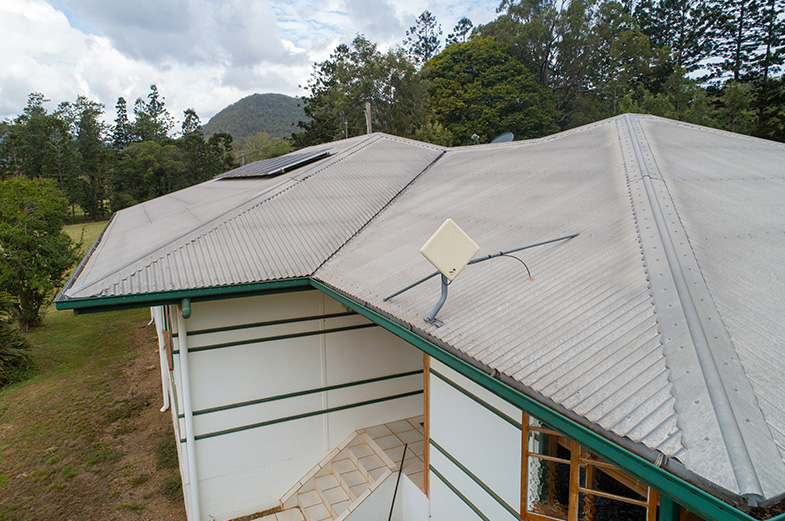
The Fixed Wireless setup involves several pieces of equipment working together: an outdoor antenna (mounted on your roof or external wall), an nbn connection box (formerly called a Network Termination Device or NTD) installed inside your premises, and a router that distributes the internet connection throughout your home.
The outdoor antenna communicates with a nearby nbn transmission tower, receiving and sending data through radio frequencies. This signal is then processed by the nbn connection box and made available to your router, which creates your home network.
nbn Fixed Wireless setup also typically includes a power supply unit that ensures your connection box remains operational. This equipment is generally installed by an nbn-approved technician during the initial setup process.
How does the nbn® Fixed Wireless equipment work?
Fixed Wireless technology works by transmitting radio signals from a nearby nbn tower to the antenna installed on your property. This technology delivers internet access without the need for physical cables running to your home, making it ideal for areas where traditional infrastructure is limited.
The process begins at the nbn transmission tower, which is connected to the broader internet infrastructure. From there, the tower broadcasts signals that are picked up by your outdoor antenna. The positioning of this antenna is crucial, as it needs a clear line of sight to the tower for optimal performance.
Once the signal reaches your antenna, it’s transmitted to your nbn connection box inside your home. This device processes the signal and makes it available for your router to distribute throughout your property, creating your local home network.
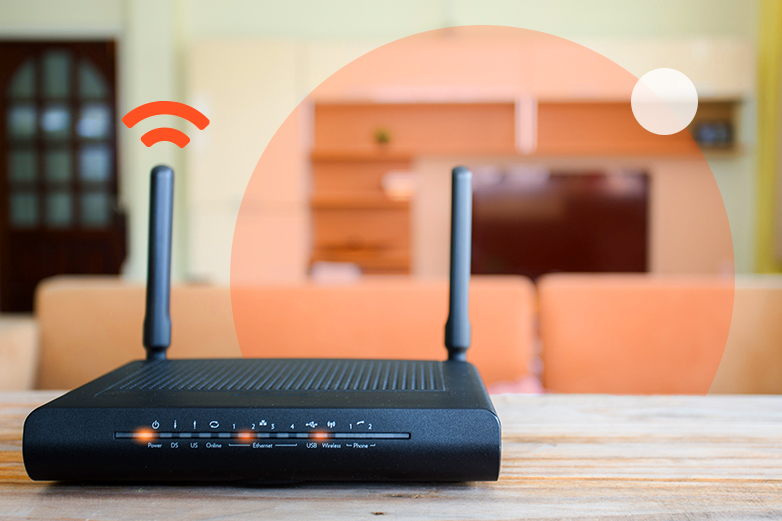
The quality of this distribution throughout your home depends significantly on your router’s capabilities and placement. Strategic router positioning eliminates dead zones and maximises coverage. Ideally, your router should be placed centrally in your home, away from concrete walls, metal objects, and electronic devices that can cause interference.
What is included in nbn® Fixed Wireless equipment?
When you sign up for an nbn Fixed Wireless service, several key components are included in the installation:
- Outdoor Antenna: This is mounted on your roof or an external wall with a clear line of sight to the nearest nbn transmission tower. The antenna captures the radio signals that carry your internet data.
- nbn Connection Box: Formerly known as the Network Termination Device (NTD), this is installed inside your home and connects to the outdoor antenna. It processes the radio signals and converts them into a form that your router can use.
- Power Supply Unit: This provides power to your nbn connection box, ensuring it operates correctly.
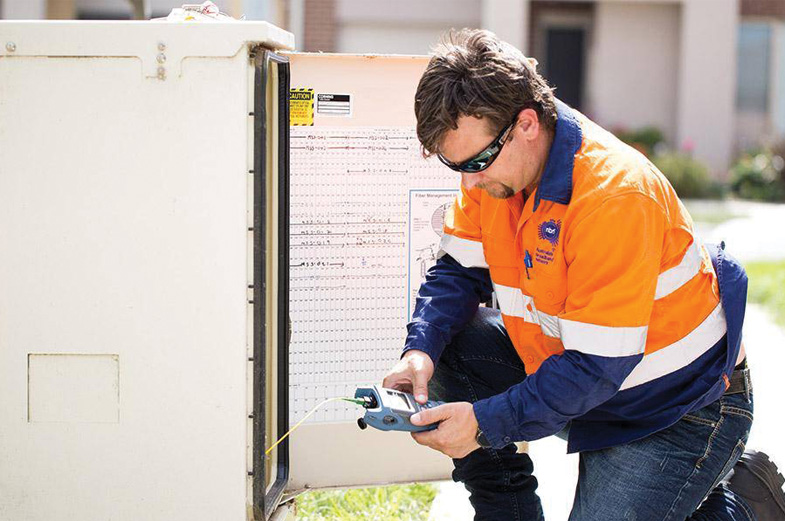
These components are provided and installed by nbn as part of your service activation. The installation is performed by an nbn-approved technician who will determine the best location for the equipment based on signal strength and accessibility.
While nbn provides this essential equipment, the quality of your in-home experience depends heavily on the router you choose and how you configure your home network. This is where your choices can significantly impact your internet experience.
What router do you need for nbn® Fixed Wireless?
The router you choose plays a crucial role in your overall internet experience. While the nbn equipment brings the connection to your home, your router determines how effectively that connection is distributed to your devices.
Router Age Considerations:
If your current router is more than 5 years old, it’s likely using outdated technology that cannot fully support modern internet speeds and security protocols. Modern routers offer improved range, faster Wi-Fi speeds, better security features, and support for more simultaneous connections. Upgrading an aging router can dramatically improve your internet experience, even without changing your plan.
Wi-Fi Technology Understanding:
When selecting a router, pay attention to the Wi-Fi generation it supports. Newer Wi-Fi standards (Wi-Fi 5/6/6E) offer significantly better performance than older generations, but this improved performance is only realised when both your router and devices support these standards. If you’ve recently purchased new devices but are using an older router, you won’t experience the full benefits of your devices’ capabilities.
You have two main options when it comes to obtaining a router:
- BYO (Bring Your Own) Router: You can use your existing router or purchase one separately. This gives you more control over the features and capabilities of your equipment. If you choose this option, ensure the router is compatible with nbn Fixed Wireless technology.
- Provider-Supplied Router: Many internet service providers, including Skymesh, offer routers as part of their service packages. These are pre-configured for optimal performance with their services, making setup easier.
Skymesh offers a selection of high-quality routers that are fully compatible with our Fixed Wireless services. These come pre-configured and ready to use, taking the guesswork out of the setup process.
How can you optimise your Fixed Wireless equipment?
To get the most out of your Fixed Wireless connection, consider these optimisation strategies:
Strategic Router Placement:
The position of your router significantly impacts coverage throughout your home. Place your router in a central location, ideally elevated off the floor. Keep it away from concrete walls, metal objects, large appliances, and other electronic devices that can cause interference. Even minor adjustments to router placement can dramatically improve coverage in previously problematic areas.
Connection Type Selection:
While Wi-Fi offers convenience, it’s important to recognise when a wired connection is more appropriate. For activities requiring stability and maximum speeds—such as online gaming, video conferencing, large file transfers, or 4K streaming—consider using direct ethernet connections. These wired connections eliminate the variables that can affect wireless performance and provide consistently better speeds and lower latency.
Network Extension Considerations:
If you have a larger home or one with challenging layouts (multiple levels, thick walls), consider how you extend your network carefully. Traditional Wi-Fi extenders, while inexpensive, often create separate networks and can actually reduce your overall speeds while appearing to improve coverage.
For more comprehensive coverage, mesh network systems provide a superior solution. Unlike extenders, mesh systems create a unified network throughout your home, automatically connecting your devices to the strongest signal without requiring manual network switching. These systems work together to provide seamless coverage, eliminating dead zones while maintaining consistent performance.
Regular Equipment Maintenance:
Keep your router’s firmware updated to ensure you have the latest security features and performance improvements. Periodically restart your router to clear its memory and refresh connections.
Signal Strength Monitoring:
Use signal strength monitoring tools to check your connection quality regularly. If you notice a significant decrease in performance, it might indicate an issue that needs addressing.
By implementing these optimisation strategies, you can significantly enhance your Fixed Wireless internet experience, ensuring reliable connectivity throughout your home.
Learn how the position of your router and the Wi-Fi technology it uses can impact your internet performance. This video explains where to place your router for the best coverage, what causes interference, and how newer Wi-Fi standards can improve speed, stability, and overall connection quality.
Key Points to Remember
Here are the essential takeaways about nbn Fixed Wireless equipment and modems:
- Equipment basics: nbn Fixed Wireless uses an outdoor antenna to communicate with a transmission tower, an nbn connection box (formerly called NTD) to process signals, and your router to create your home network.
- Home setup impact: According to a recent nbn commissioned survey, 42% of nbn customers haven’t updated their home setup in five years.* Your in-home configuration fundamentally shapes your internet experience, often having more impact than your chosen plan.
- Router considerations: If your router is more than 5 years old, consider upgrading as it likely uses outdated technology that cannot support modern internet speeds. When selecting a new router, check which Wi-Fi generation (5/6/6E) it supports and ensure compatibility with your devices.
- Optimal placement: Position your router centrally in your home, away from concrete walls, metal objects, and electronic devices that can cause interference. Strategic placement eliminates dead zones and maximises coverage.
- Connection choices: For activities requiring stability and maximum speeds—like gaming, video conferencing, or large file transfers—use wired connections instead of Wi-Fi. While wireless offers convenience, a direct ethernet connection provides superior reliability.
- Coverage solutions: For larger homes, traditional Wi-Fi extenders have significant limitations, often creating separate networks and reducing overall speeds. Mesh systems provide seamless coverage by creating a unified network throughout your home, automatically connecting devices to the strongest signal.
- Professional installation: The outdoor equipment is installed by nbn-approved technicians who determine the optimal positioning for signal strength.
- Provider options: Skymesh offers compatible, pre-configured routers that simplify the setup process while ensuring optimal performance.
Remember that while nbn provides the connection to your home, the foundation of your internet experience largely depends on your in-home setup. Taking time to optimise your equipment can significantly improve your internet performance without changing your plan.
*nbn commissioned survey in 2025: residential consumers who use nbn as their main internet service at home (Sample size of 6,225)