


nbn® Fibre to the Premises
Fibre to the Premises (FTTP) runs fibre directly to your premises. nbn® determines the technology type available at your address, so check yours to see whether FTTP plans are available.
Free standard installation* | No lock-in contract | Australian-owned | No demand surcharges | Support 7 days a week
Join today with our 30-day satisfaction guarantee. Terms apply.
Multi-award-winning plans
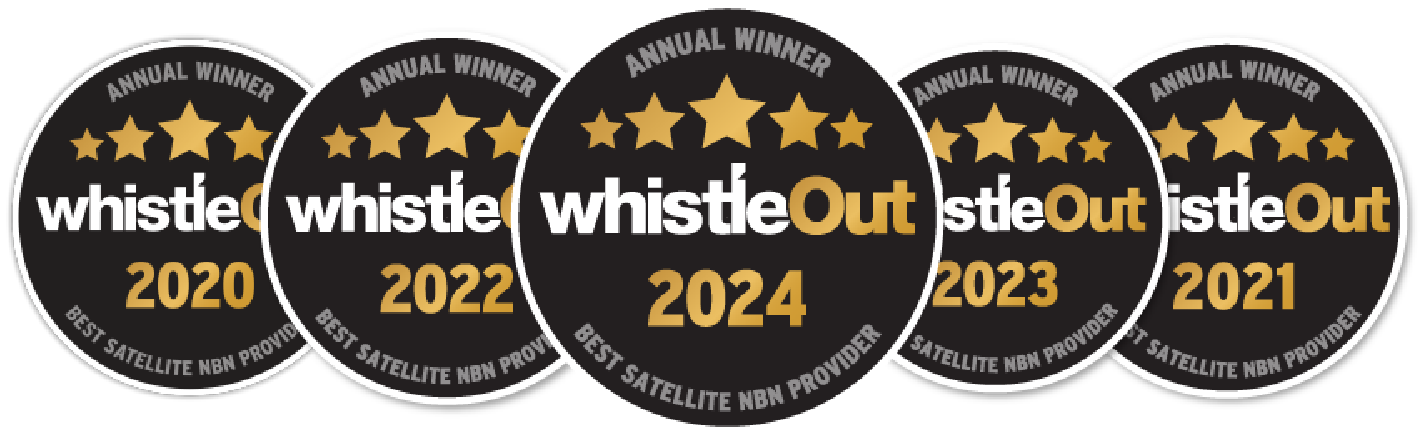
Winning 5 Whistleout awards is testament to our unwavering commitment to delivering reliable internet services to regional and rural Australia.
45,000+ happy regional homes
We’ve helped connect thousands of remote and regional Australian families to better internet services and they couldn’t be happier.
See what’s available at your property
What is nbn® Fibre to the Premises?
Fibre to the Premises (FTTP) is an nbn® Fixed Line technology where fibre runs directly to the premises.
It is one of several nbn® Fixed Line technologies, alongside Fibre to the Building (FTTB), Fibre to the Curb (FTTC), Fibre to the Node (FTTN) and Hybrid Fibre Coaxial (HFC). These technologies differ in how the nbn® Fixed Line connection reaches the premises. With FTTP, fibre runs to the property.
Can I get FTTP at my address?
FTTP availability is determined at the premises level rather than by suburb or postcode. Nearby properties can have different nbn® technology types, so your exact address is the best place to start.
The Skymesh address checker shows the nbn® technology type available at your property, the Skymesh plans you can order and whether a technology upgrade may be available. For a broader explanation of the network and its technology types, see our nbn® Australia guide.
Properties connected at different stages of the rollout, a redeveloped block and a newer estate can each end up on a different technology type.
Having trouble finding your address? Contact our team and we’ll raise a free address query with nbn®. Sometimes nbn® has a property listed under a different name or may not have a record of it yet. We can help get the address added so you can order an nbn® service.
If you want to learn more about upgrades, our nbn® FTTP upgrade guide explains the current process and eligibility considerations.
| If your address check shows… | Next step |
|---|---|
| FTTP | View Skymesh nbn® Fibre plans and current speed information. |
| Another Fixed Line connection type | If your address is on FTTN or FTTC, review the plans available now, then use the fibre upgrade eligibility guide to check. HFC premises already run on a high-speed technology and are not part of the fibre upgrade programme. |
| Fixed Wireless or Satellite | Review the Skymesh options available for that technology type. |
| You’re not sure what the result means | Contact Skymesh and we can help you understand the available options. |
Which nbn® connection types are available in Australia, and can you choose one?
You do not choose the technology type. nbn® determines and allocates it at each premises, so the practical starting point is to check what your address can get. Fixed Line covers FTTP, FTTB, FTTC, FTTN and HFC; beyond the Fixed Line footprint an address may be served by Fixed Wireless, and beyond tower coverage by Satellite.
If FTTP is available, see our FTTP plans and FTTP speed guide for current information. If you are weighing up plan features more broadly, our compare internet guide explains factors worth considering. If data allowance is part of your decision, you can also read more about unlimited internet plans.
How much does nbn® Fibre to the Premises cost to install?
Skymesh offers free standard installation.* nbn® charges may apply for non-standard installations. Terms, conditions, and eligibility apply.
To use an nbn® Fibre to the Premises plan, you’ll need a compatible router. If you don’t already have one, Skymesh offers wireless routers for a one-off fee. Router orders also include free shipping. Terms, conditions, and eligibility apply.
Why choose Skymesh
Skymesh is Australian-owned and has over 20 years of experience. We’ve helped Aussies stay connected wherever they call home, from the city to the bush.
Skymesh plans have no lock-in contract, a 30-day satisfaction guarantee and no demand surcharges. Terms, conditions, and eligibility apply. Support is available 7 days a week, including public holidays.
Skymesh has been connecting regional Australia since 2005 and now supports 45,000+ customers. Plans run on 30-day terms, so you can leave by giving 30 days’ notice rather than being held to a longer agreement.
Get connected with Skymesh
Check your address to see what’s available at your place, or call Skymesh on 1300 759 637. Give us a shout, we’re here to help.
*Free standard installations exclude the new developments charge and subsequent installation charge.
Have Questions?
Frequently asked questions
How do I get nbn® Fibre to the Premises?
Start with an address check. If FTTP is already available, review the Skymesh plans you can order. If your address is eligible for an FTTP upgrade, see our FTTP upgrade process for the current nbn® process, appointment requirements and installation steps.
Do I already have nbn® Fibre to the Premises?
Check your current service details or use the Skymesh address checker to confirm the technology type available at your address.
What is the difference between nbn® and FTTP?
nbn® is the network, while FTTP is one of the technology types used to connect premises to it. FTTP is therefore part of the nbn® network, not an alternative to it. nbn® determines the technology type available at your address.
Is fibre to the premises worth it?
Whether upgrading is worth it depends on your current connection, how your household uses the internet and the plans available at your address. Check your address first, then compare FTTP plans, FTTP speed information and the FTTP upgrade process before deciding.
Do I need a new router for FTTP?
Not necessarily. You’ll need a Wi-Fi router to connect your devices to your Skymesh service. The nbn® connection box, or NTD (Network Termination Device), is supplied by nbn®. Whether you need a new router depends on your current router’s age and capability and the plan you choose.
As a general guide, routers more than five years old may use older Wi-Fi standards and may not support the speed, security or performance of newer plans.
If you’re unsure whether your current equipment is suitable, check with Skymesh support before signing up. Skymesh can also supply a compatible Wi-Fi router for an additional cost.
See what’s available at your property
600+ 5 Star reviews
What a few of our happy customers think

Exceptional service for 17 years
Skymesh has always given exceptional service, always happy to fix any problems.
Reviewed July, 2025
Prompt, Efficient and Friendly
I changed from Starlink to Skymesh, and I haven’t stopped smiling. I can speak to a friendly, helpful human when I have a query.
Reviewed July, 2025
Highly recommend making the switch
The entire process from sign-up to installation was smooth and hassle-free. Loving the speeds that we are getting
Reviewed Mar, 2025
Excellent service
I’ve used Sky Muster for years, no fuss, no bother, It just works as it should.
Reviewed Apr, 2025
Excellent assistance
I was pleasently surprised by the helpful and cheery assistance I received yesterday.
Reviewed Jan, 2025
Amazing tech assistance
This guy was so patient with me and explained everything so well. Thanks so much.
Reviewed Dec, 2024
Satisfaction Guarantee
View Terms
Join today confidently with our 30-day satisfaction guarantee. Talk to our team today to learn more and get connected.

Let’s chat
Our friendly team is ready to help out with all new connection enquiries. Give us a shout, we’re here to help.