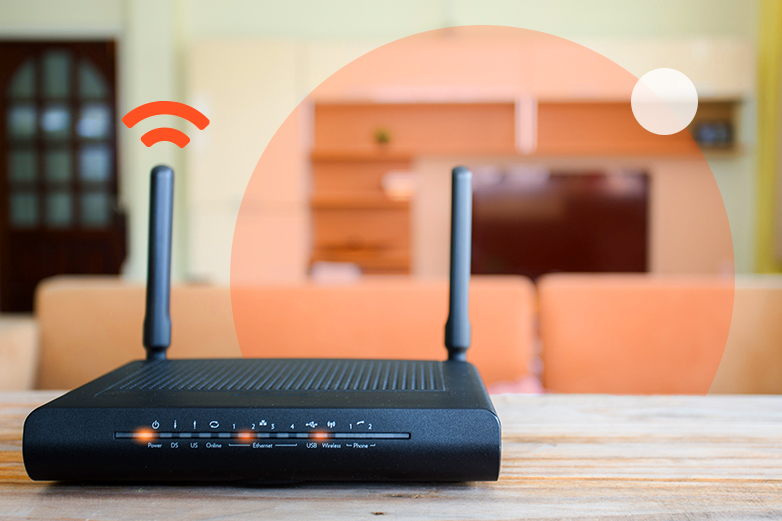
As Australia continues its transition to the nbn® network, many households are wondering whether their existing Wi-Fi router will work with their new connection. It’s a valid question, particularly as many Australians are still using routers purchased years ago.
Recent research reveals concerning trends about home internet equipment. According to an nbn commissioned survey in 2025, 95% of customers don’t know that their in-home set-up is even a consideration and that it can impact their broadband experience.* This knowledge gap often leads to frustration when old routers significantly limit the performance of new nbn® connections.
In this comprehensive guide, we’ll help you determine if your existing router is nbn®-ready, understand the potential limitations of older equipment, and provide guidance on when and how to upgrade for the best possible internet experience.
See what’s available at your property
Understanding Router Compatibility with nbn®
Most routers manufactured in the last decade will technically “work” with nbn® services, but there’s a significant difference between basic functionality and optimal performance. Here’s what you need to know:
Basic Compatibility Requirements
At minimum, your router needs:
- An Ethernet WAN port to connect to your nbn connection box (formerly called the Network Termination Device or NTD)
- Support for PPPoE (Point-to-Point Protocol over Ethernet) or DHCP (Dynamic Host Configuration Protocol), which are the connection methods used by most nbn® services
If your router meets these basic requirements, it will likely establish a connection. However, this doesn’t mean it will deliver the performance you’re paying for.
The Impact of Router Age on Performance
Router technology has evolved dramatically in recent years, with significant improvements in processing power, connection handling, and Wi-Fi capabilities. The age of your router is a crucial factor in determining its suitability for modern nbn® connections:
Routers Older Than 5 Years
Routers manufactured before 2020 typically have several limitations that can severely restrict your nbn® experience:
– Outdated Wi-Fi standards: Most pre-2020 routers use Wi-Fi 4 (802.11n) or early Wi-Fi 5 (802.11ac) standards, which offer significantly lower theoretical speeds and poorer performance with multiple devices.
– Limited processing power: Older routers have CPUs and memory that struggle to handle modern internet demands, causing slowdowns even when your actual connection is capable of higher speeds.
– Weaker security: Many older routers no longer receive security updates, potentially leaving your network vulnerable to newer threats.
– Limited device handling: Older routers typically struggle when multiple devices are connected simultaneously, a common scenario in today’s households with numerous smart devices.
Routers 3-5 Years Old
Routers from 2019-2021 may be adequate for basic nbn® plans but often struggle with higher-tier plans:
– Mid-range Wi-Fi 5 capabilities: These routers typically support decent speeds but may not maximise higher-tier nbn® plans.
– Moderate multi-device handling: They perform better with multiple devices than older models but may still experience congestion during heavy usage.
Modern Routers (Less Than 3 Years Old)
Recent routers are designed with current internet needs in mind:
– Wi-Fi 6/6E support: These standards offer significant improvements in speed, range, and multi-device handling.
– Powerful processing capabilities: Modern routers have faster processors and more memory to handle demanding applications.
– Advanced features: Quality of Service (QoS), beamforming, and MU-MIMO technologies help optimise performance for different devices and applications.
Signs Your Router Isn’t nbn®-Ready
How do you know if your existing router is limiting your nbn® experience? Here are key indicators that suggest your router may need upgrading:
– Your router is more than 5 years old: As outlined above, older routers simply weren’t designed for today’s internet requirements.
– Wi-Fi speeds are significantly lower than wired speeds: While some difference is normal, a massive disparity suggests your router’s Wi-Fi capabilities are outdated.
- You experience frequent disconnections or need to restart your router regularly.
- Your internet slows down significantly when multiple devices are connected.
- You notice poor coverage in areas of your home that should be within range.
– Video calls or streaming services buffer frequently despite having a plan with adequate speed.
– Your router becomes hot to the touch during normal operation, indicating it’s working beyond its comfortable capacity.
- You’re on a higher-speed nbn® plan but not experiencing the expected performance.
What to Look for in an nbn®- Ready Router
If you’ve determined that your current router isn’t optimal for your nbn® connection, here’s what to consider when looking for a replacement:
Wi-Fi Standards
Wi-Fi standards have evolved significantly over the years, with each generation offering substantial improvements:
– Wi-Fi 4 (802.11n): Now considered outdated, with maximum theoretical speeds of 450-600 Mbps under perfect conditions.
– Wi-Fi 5 (802.11ac): Offers improved speeds up to 3.5 Gbps theoretically, better handling of multiple devices, and operates on the less congested 5GHz band.
– Wi-Fi 6 (802.11ax): Provides significantly better performance in environments with many connected devices, theoretical speeds up to 9.6 Gbps, and better battery life for connected devices.
– Wi-Fi 6E: Extends Wi-Fi 6 capabilities into the 6GHz band, offering even more bandwidth and less interference.
For most households today, Wi-Fi 6 is the recommended standard, offering the best balance of performance, device compatibility, and future-proofing.
Processing Power
Modern internet usage demands more from your router’s processor and memory:
– Dual-core or quad-core processors: These handle multiple connections more efficiently than single-core processors found in older routers.
– Adequate RAM: Look for at least 512MB of RAM, with 1GB or more being ideal for households with many connected devices.
– Flash memory: 256MB or more ensures your router can receive and apply firmware updates without performance issues.
Coverage Capabilities
The router’s ability to provide consistent coverage throughout your home is crucial:
– For smaller homes (under 150 square metres), a single high-quality router may be sufficient.
– For medium to large homes, consider a mesh Wi-Fi system rather than a traditional router.
– For multi-storey homes, definitely look at mesh systems, which can provide seamless coverage across levels.
Additional Features to Consider
Modern routers offer features that can significantly enhance your online experience:
– Quality of Service (QoS): Allows you to prioritise certain devices or applications (like video conferencing or gaming) over others.
– MU-MIMO (Multi-User, Multiple-Input, Multiple-Output): Enables the router to communicate with multiple devices simultaneously rather than sequentially.
– Beamforming: Focuses the Wi-Fi signal toward connected devices rather than broadcasting equally in all directions.
– Security features: Look for routers with automatic security updates and advanced features like network segmentation for IoT devices.
Optimising Router Placement for Best Performance
Even the most advanced router won’t perform well if poorly positioned. Strategic router placement is crucial for maximising performance:
Ideal Placement Guidelines
– Central location: Position your router centrally in your home rather than in a corner or at one end.
– Elevated position: Place your router on a shelf or desk rather than on the floor, as Wi-Fi signals spread downward more effectively than upward.
– Avoid interference: Keep your router away from:
- Concrete or brick walls
- Large metal objects
- Electronic devices (microwaves, cordless phones, baby monitors)
- Fish tanks and large mirrors
– Antenna orientation: If your router has external antennas, position them vertically for better horizontal coverage.
– For multi-storey homes: Place your router on the middle floor if possible to provide better coverage to all levels.
When a Single Router Isn’t Enough: Mesh Wi-Fi Systems
For many Australian homes, particularly larger properties or those with complex layouts, a single router—even a high-quality one—may not provide adequate coverage. In these cases, a mesh Wi-Fi system is the recommended solution.
Advantages of Mesh Systems Over Traditional Routers with Extenders
– Seamless coverage: Mesh systems create a single network throughout your home, allowing devices to move between coverage areas without disconnecting.
– Consistent performance: Unlike traditional extenders that often reduce bandwidth by up to 50%, quality mesh systems maintain more consistent speeds throughout the coverage area.
– Simple management: Most mesh systems are managed through user-friendly apps that make setup and optimisation straightforward.
– Scalable solution: You can easily add additional mesh nodes to expand coverage as needed.
When to Consider a Mesh System
Consider investing in a mesh Wi-Fi system rather than a single router if:
– Your home is larger than 150-200 square metres
– Your home has multiple levels
– Your home has thick walls or an unusual layout that creates Wi-Fi dead zones
– You have 15+ connected devices operating simultaneously
– You need consistent Wi-Fi performance throughout your entire property
Options for Upgrading Your Router
When it’s time to upgrade your router for nbn® compatibility, you have several options:
Purchase Your Own Router
Buying your own router gives you complete control over the features and capabilities. Consider your household’s specific needs when selecting a model, and research current reviews to find the best options in your price range.
Provider-Supplied Router
Many internet service providers, including Skymesh, offer routers that are pre-configured for their services. These eliminate setup complications and are guaranteed to be compatible with your connection.
Rent vs. Buy Considerations
– Renting: Lower upfront cost, typically includes support and replacement if issues arise.
– Buying: Higher upfront cost but potentially better long-term value, especially for higher-quality equipment.
Consider how long you plan to stay with your current provider and how comfortable you are with managing your own equipment when making this decision.
Learn how the position of your router and the Wi-Fi technology it uses can impact your internet performance. This video explains where to place your router for the best coverage, what causes interference, and how newer Wi-Fi standards can improve speed, stability, and overall connection quality.
Key Points to Remember
When assessing whether your old Wi-Fi router is nbn®-ready, consider these important factors:
- Basic compatibility isn’t enough: While most routers will technically connect to the nbn®, research shows that 95% of customers don’t realise their in-home setup impacts their broadband experience.* An outdated router can severely limit the performance you receive.
- Age matters significantly: Routers older than 5 years typically use outdated technology that cannot support modern internet speeds and security protocols, regardless of your nbn® plan.
- Wi-Fi standards are crucial: Modern Wi-Fi standards (Wi-Fi 5/6/6E) offer significantly better performance than older generations. For most households today, Wi-Fi 6 provides the best balance of performance and future-proofing.
- Processing power affects experience: Look for routers with dual-core or quad-core processors and adequate RAM to handle multiple devices and demanding applications.
- Placement is as important as quality: Even the most advanced router won’t perform well if poorly positioned. Central, elevated placement away from interference sources is essential for optimal performance.
- Consider mesh for larger homes: For larger properties or homes with complex layouts, mesh Wi-Fi systems provide superior coverage compared to single routers or traditional extenders.
By ensuring your router is truly nbn®-ready—not just basically compatible—you’ll be able to enjoy the full benefits of your nbn® connection and avoid the frustration of unexplained performance issues.
*nbn commissioned survey in 2025: residential consumers who use nbn as their main internet service at home (Sample size of 6,225)